

At the Bonusfiles you find Infos, Turrican Music, Turrican Wallpapers, Screensavers, Posters.... if you think you know anything that should be mentioned here, please contact me.














|
How to play Turrican on your PC (via WinUAE Emulation)Step 1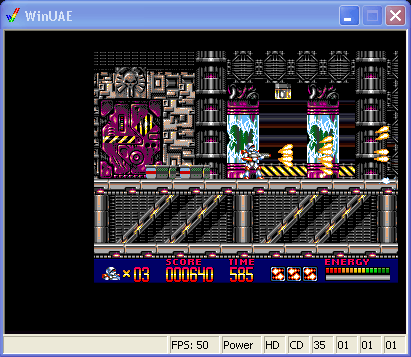 Get and install WinUAE. This is a program that emulates (="simulates") an Amiga and let´s you (e.g.) play your old games on a modern PC.
Step 2 Get a Kickstart ROM (the Amiga BIOS-equivalent) and save it in the WinUAE-Directory, best create a subdirectory "ROMs". Since it is still copyrighted, there are only few legal ways to get one. I recommend using Kickstart 1.3.
Step 3 Get Turrican ADFs (Amiga Disk Files)! You could start with the Demos found at the Bonusfiles. At the Factor 5 Homepage the full Versions are available for free download, but they seem to be not 100% correct, some people reported problems with the Extro. Step 4 Start WinUAE. You will see a rather complex interface. 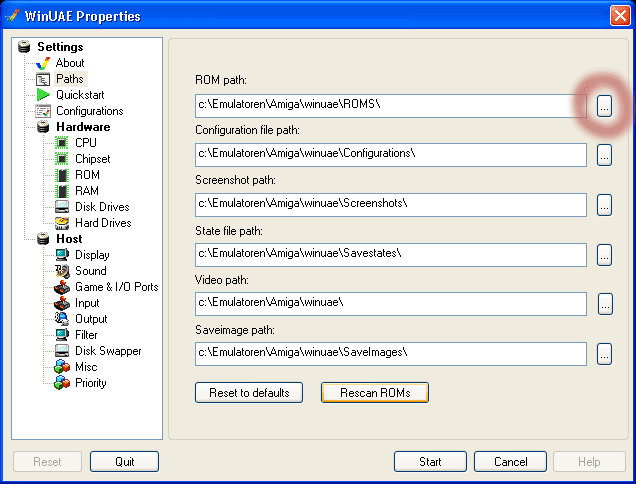 First choose the path to your Kickstart-ROM. After selecting, a requester pops up and should tell you that Amiga 500 / Amiga 2000 Kickstart 1.3 is available now.  Choose the Joypad or Keyboard Layout you want to use. Note: Layout "b" if for cursor-keys and ctrl (german:strg)  Select your Disk Image and press Start. | ||