back

How to play Turrican on your PC (via VICE Emulation)

Step 1
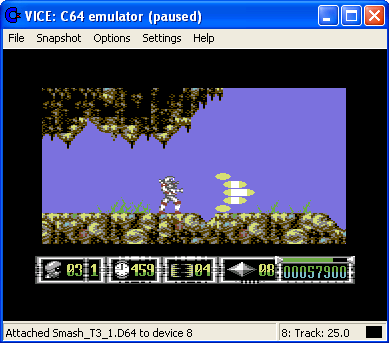
Turrican in WinUAE Get and install VICE. This is a program that emulates (="simulates") a C64 and letīs you (e.g.) play your old games on a modern PC.

Step 2
Get some Turrican-Games:
http://www.c64.com/- search for Turrican
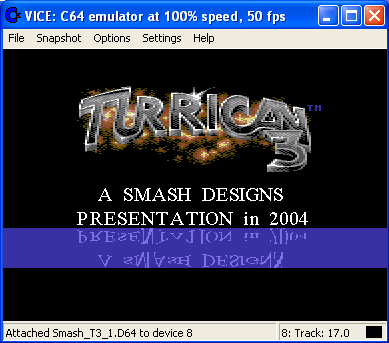
http://www.smash-designs.de/ - look for Turrican 3
Protovisionīs Turrican 3 Preview

Step 3
Click "Autostart Disk/Tape images" and select the file
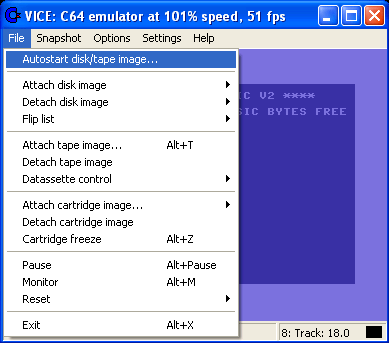
Turrican on VICE

Step 4
Play :)


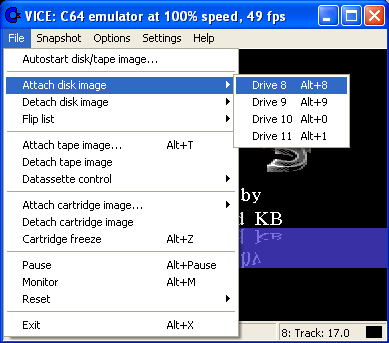
Step 2
If needed, swap Disks


Still problems? Tips? Post them here!
26.06.2009 - 23:38
Mr. Noname

25.08.2008 - 04:09
Poopskin
Tried T3-64. wierd hoppy thing ran by bren, then the game frose.
07.02.2008 - 12:16
Mat
Have config'd keyboard in settings > Joystick but still can't get the keyboard to work. Any help?
20.03.2007 - 22:15
hm
Doesn't work for me - VICE does not react on any input, but loads the game
28.01.2007 - 18:46
Arjak
When I load Turrican 1 in VICE, it works fine up until loading the level, then my character never appears. Can anyone help?
24.12.2006 - 17:52
Contra
Hmm so I've downloaded the C64 WinVICE 1.20 for windows, yet when I try loading any of the Turrican games it saus something like "out of memory error" but then says ready: as if I need to enter a prompt which I dunno what that would be. Any h
14.07.2006 - 13:21
Tres24
My Keyboard doesn`t work although I tried all Configurations! The only thing I can do is the Side-Shot. Please help me!
11.10.2005 - 19:59
t.r.schmidt
Depends on your Keyboard-Configuration. Best try another one, in WinVice Settings -> Joystick Settings.
11.10.2005 - 18:45
C64
Why my game goes pause when i turn left in turrican 2?
07.11.2004 - 19:39
t.r.schmidt
Which level? and did you try the newest Version of T3, there´s one with a few bugfixes
06.11.2004 - 22:39
tripathi65@yahoo.de
My vice restarts level after finishing it. How can i reach the next level in Turrican 3?
14.09.2004 - 09:32
Daniel Illgen
Don't forget the Warp-Mode (ALT+W) to speed up loading!
29.08.2004 - 20:09
t.r.schmidt
Your welcome
29.08.2004 - 09:23
The Megid
Thanks for this cute tutorial TRS...
28.08.2004 - 14:47
t.r.schmidt
Before anyone asks: you can set the Controls under Settings ->Joystick settings
Your NameMessage